Designed a workflow feature that enables merchants to visualise sales data to support the adoption of Lightspeed's highest-tier plan.
VISUALISATION PATTERNS
INFORMATION ARCHITECTURE
UI DESIGN

Company
Lightspeed Retail
Role
Lead Designer
Skills
Chart styling guidelines
Data visualisation patterns
Information architecture
Journey mapping
Multi-view data interfaces
UI design
Wireframing
Tools
Figma
Context
Lightspeed offers several reporting tools, including sales reports, which help users stay connected to business performance.
Problem
Business owners want their store managers to engage more deeply with data to identify opportunities and areas for improvement. However, dense table data can be challenging to interpret, especially for users who lack data confidence. At the time, Lightspeed did not support sales reporting data visualisation, which limited how users could explore sales performance and made it harder to spot trends over time.
Solution
Designed a new workflow and developed a chart style pattern to introduce large-format data visualisation into sales reports. The chart integrates with the report’s existing filter bar, allowing users to easily toggle between table and chart views according to their preference or task. I led solution discovery, collaborating with my Product Manager, Software Development Manager, and Feature Lead. This project intentionally involved a highly collaborative and iterative delivery phase between design and engineering during implementation.
Impact
Introducing large-format data visualisation to Lightspeed Retail improves users' ability to interpret sales performance at a glance, reducing the time needed to identify trends and patterns while keeping users within the core product experience. This enhanced analytics capability supports the adoption of Lightspeed's highest-tier plan.
This work also contributed to internal design quality through the development of new chart styling documentation for large-format data visualisation. These reusable patterns create a foundation for scaling this feature to other reports in the product.
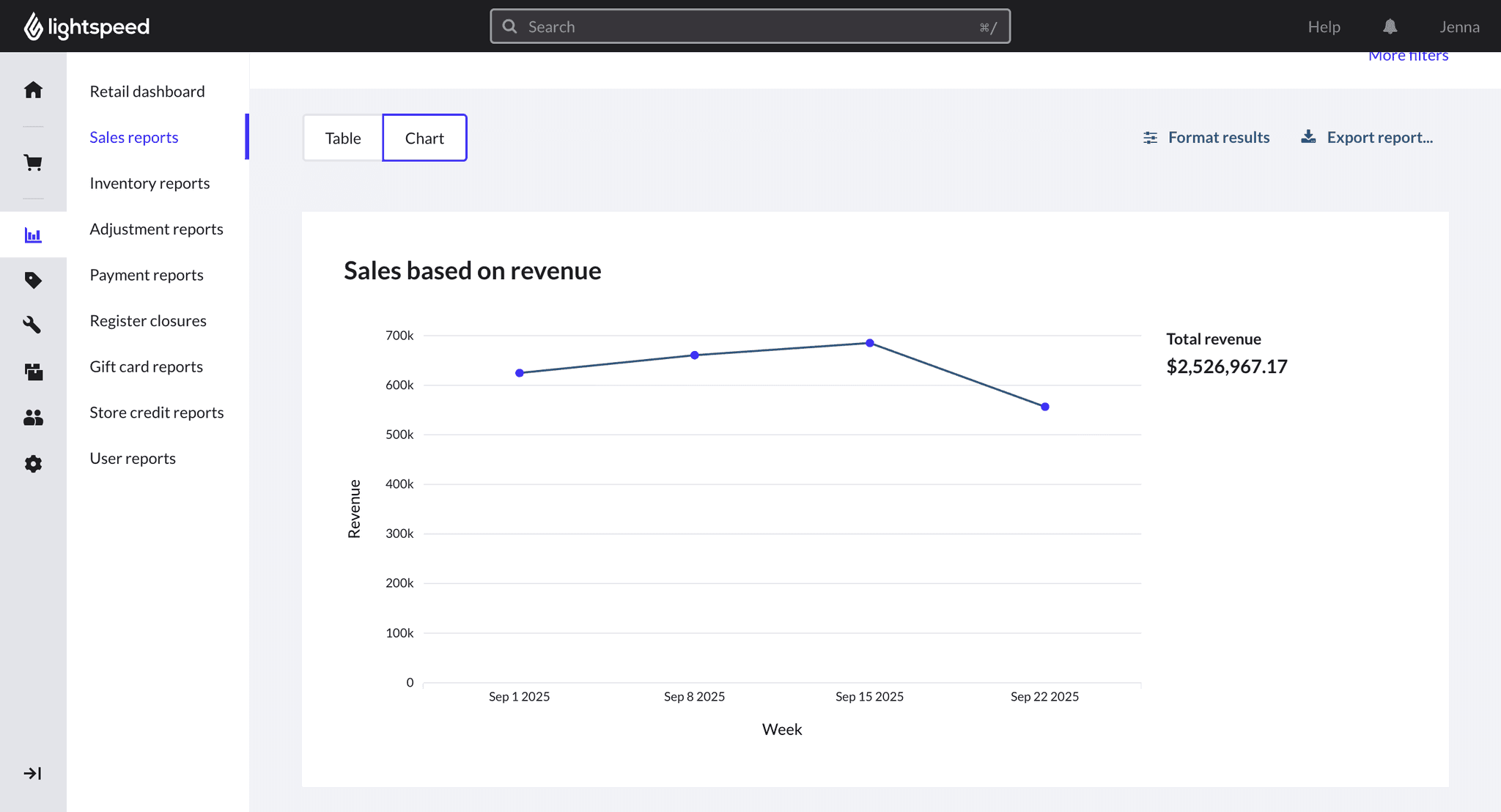
Users can switch seamlessly between table and chart views to quickly identify sales trends.
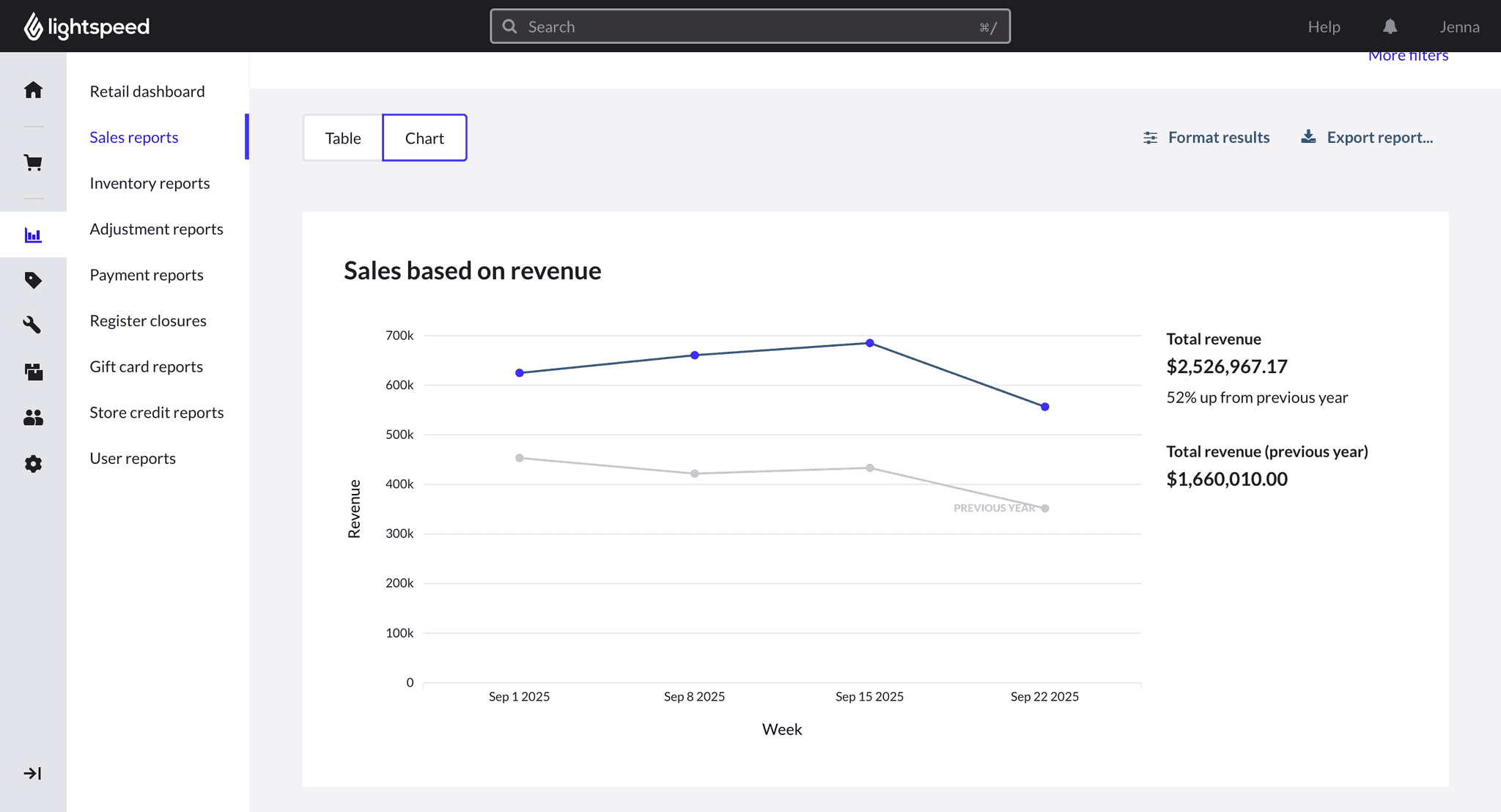
Users interact with the familiar filter bar from table view to customise their chart analysis, for example, overlay last year's data to compare year-on-year performance.