Designed a setup flow with high completion rates that's driven up to 65% user engagement in Lightspeed's forecasting features.
ONBOARDING DESIGN
UX RESEARCH
UX WRITING

Company
Lightspeed Retail
Role
Lead Designer
Skills
Information architecture
Journey mapping
Onboarding design
Systems design
User research
UX writing
Tools
Figma
Miro
Context
Forecasting is a key feature within Lightspeed Insights, launched in October 2024 to help merchants make smarter purchasing decisions based on projected demand. The primary users are inventory managers, some of whom lack familiarity with forecasting models and terminology.
Problem
Although recently launched, forecasting adoption and activation were lower than expected. My Product Manager and I conducted user research with first-time users of Lightspeed Insights to understand friction points in the experience. We identified three key problem areas:
Users struggled to build forecasting reports tailored to their individual needs
Users didn't clearly understand key measures and forecasting functionality
Not all users wanted to factor missed sales into their forecast, a default forecasting behaviour we launched with
Solution
I led solution discovery, working with my Product Manager and Software Development Manager, addressing each problem area we identified:
Designed a new onboarding setup flow that guides users through configuring personalised forecasting reports, eliminating the guesswork in getting started
Updated labels and copy in the reporting table, and introduced a glossary for forecasting terminology to reduce confusion and increase user confidence
Added a configuration option for missed sales calculations to accommodate different user preferences and forecasting approaches
Impact
The primary goal was to improve the activation of Lightspeed Insights forecasting features for new users. Since launching the onboarding setup flow, over 90% of users who move past step 1 complete the entire flow, with ~65% engaged in forecasting.
The combined UI enhancements aimed to simplify a complex forecasting tool for users struggling to interpret the reporting interface. By providing more clarity and flexible configuration options, we've reduced barriers that may have previously prevented users from engaging confidently with the features.
Internally, this project established a new onboarding pattern, creating a scalable solution that other designers can leverage in the future.
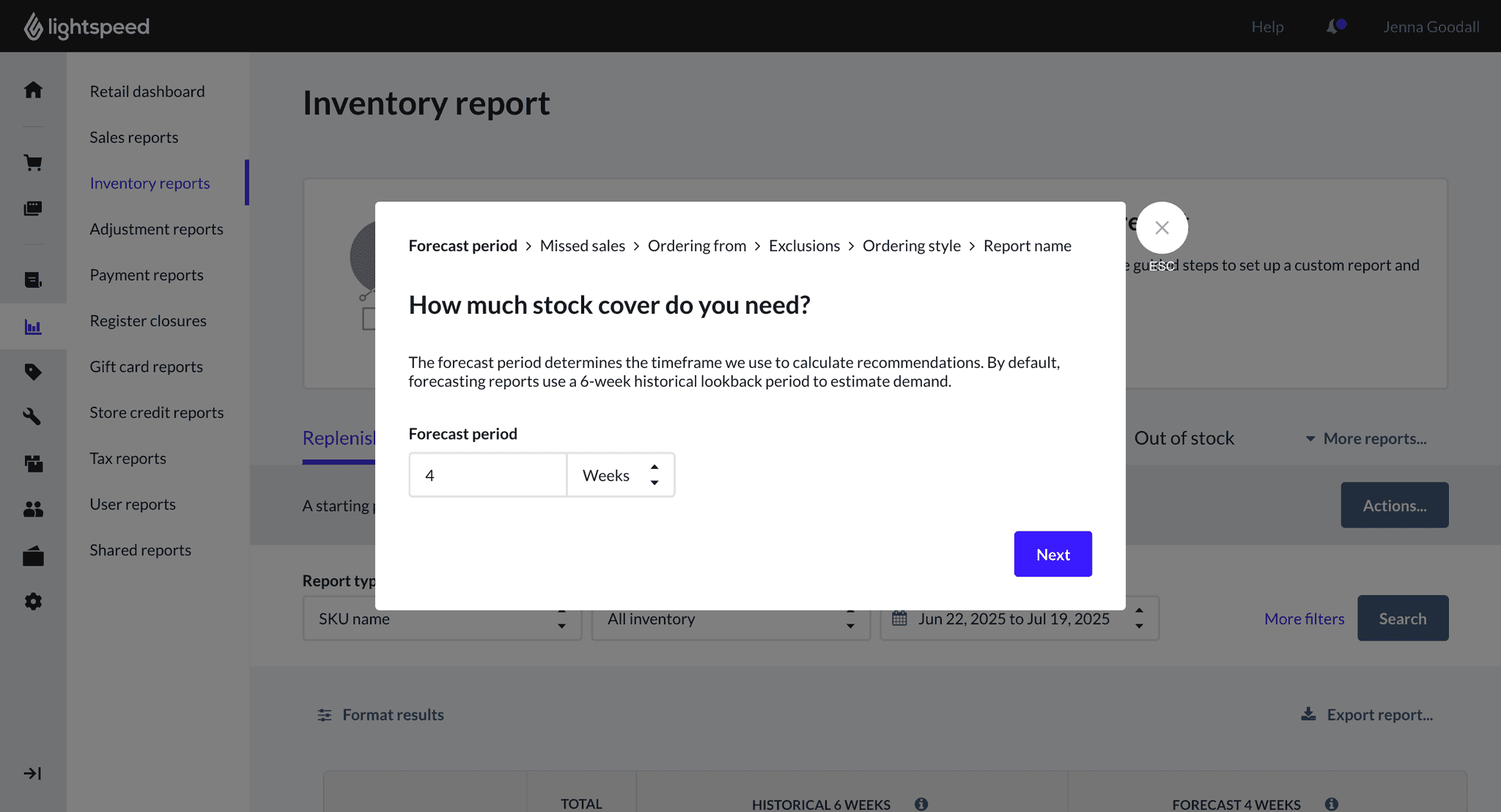
Implemented a new setup flow that helps users configure a forecasting report suited to their ordering needs, whilst educating them about key features.
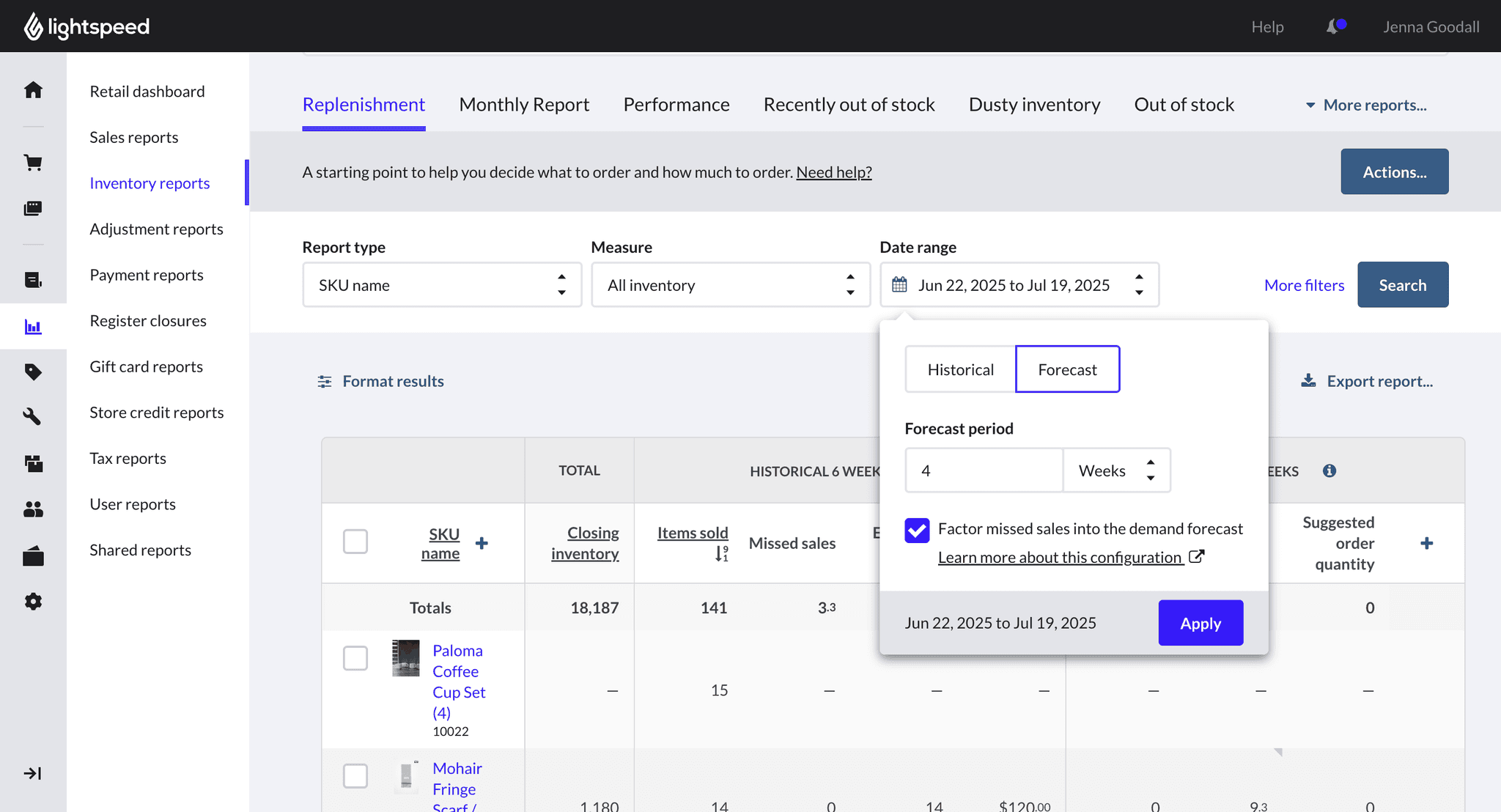
Added a configuration option allowing users to choose whether to factor missed sales into their demand forecast, depending on their specific ordering use case.
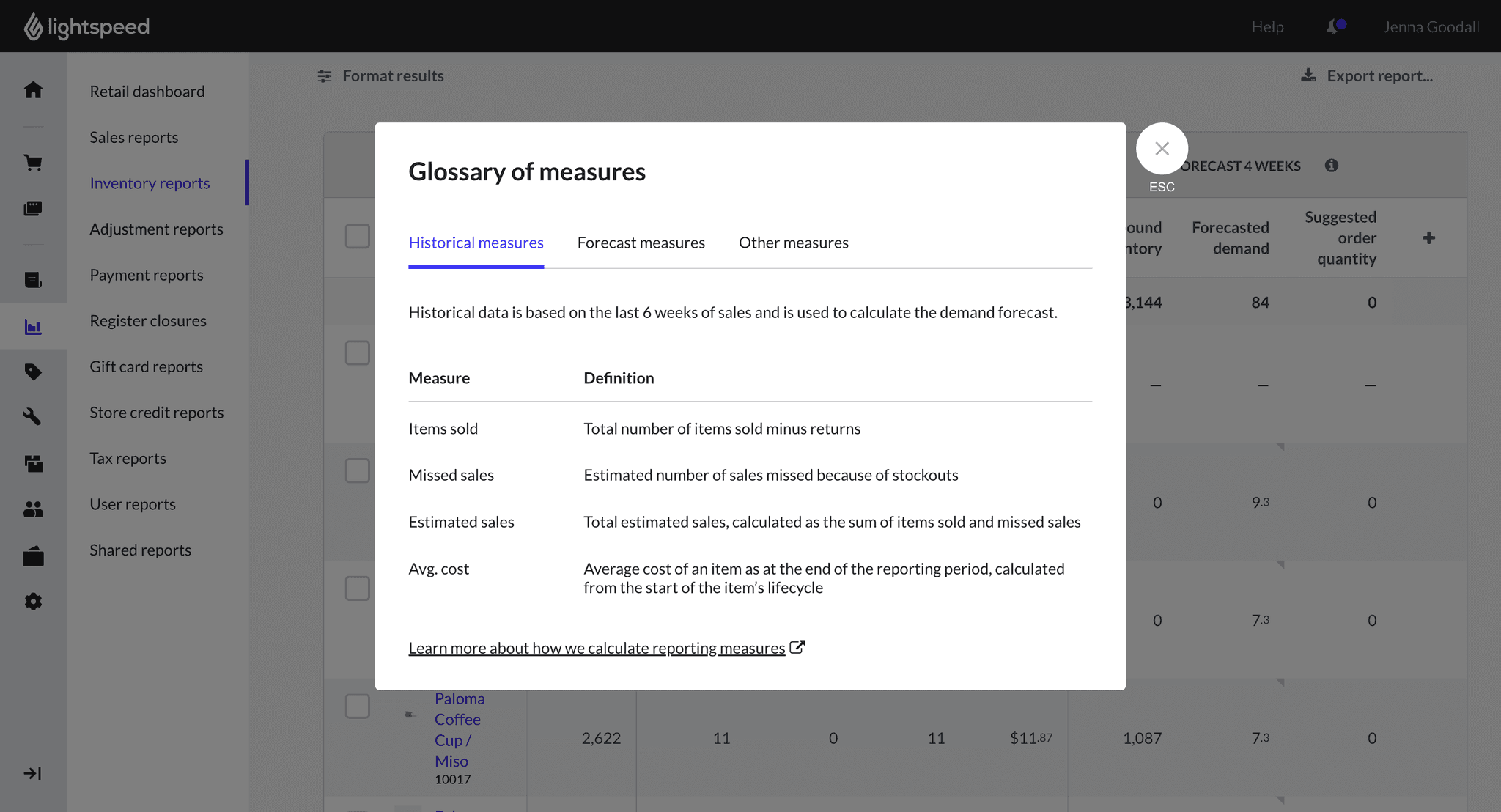
Introduced a 'glossary of measures' modal that allows users to access information about measures in their report easily.
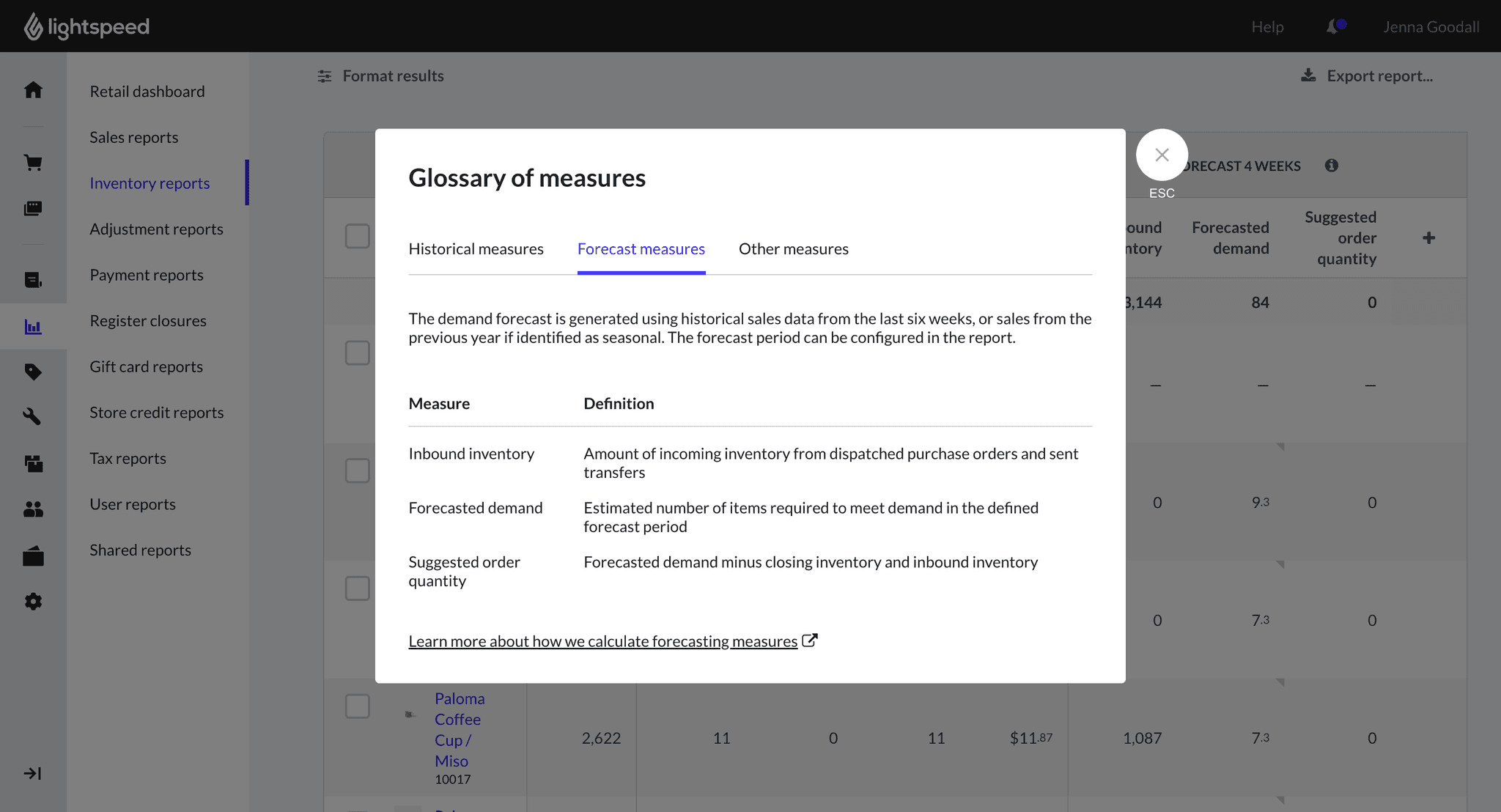
The modal structure mirrors the report layout and provides additional information about interpreting forecasting measures alongside historical data.